Troubleshooting your Sena R1 Evo helmet
Fix a glitchy Sena R1 Evo helmet before requesting a warranty: run a fault reset, then a factory reset, and re-pair using Mesh Intercom.
If your Sena R1 Evo is acting up, try these steps before you reach out about a warranty replacement.
Resetting your R1 Evo
Do a fault reset and a factory reset, then pair it again using Mesh Intercom.
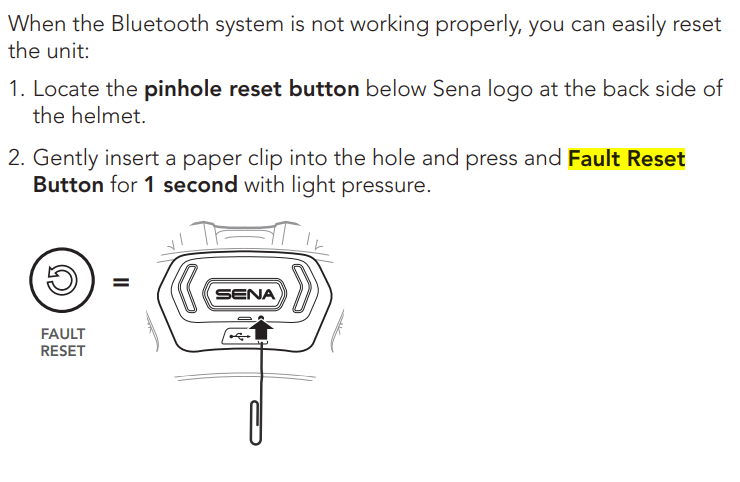
- Fault reset:
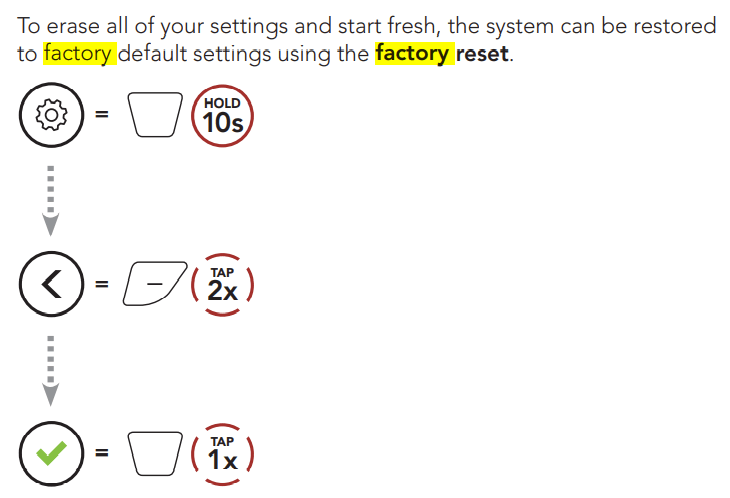
- Factory reset:
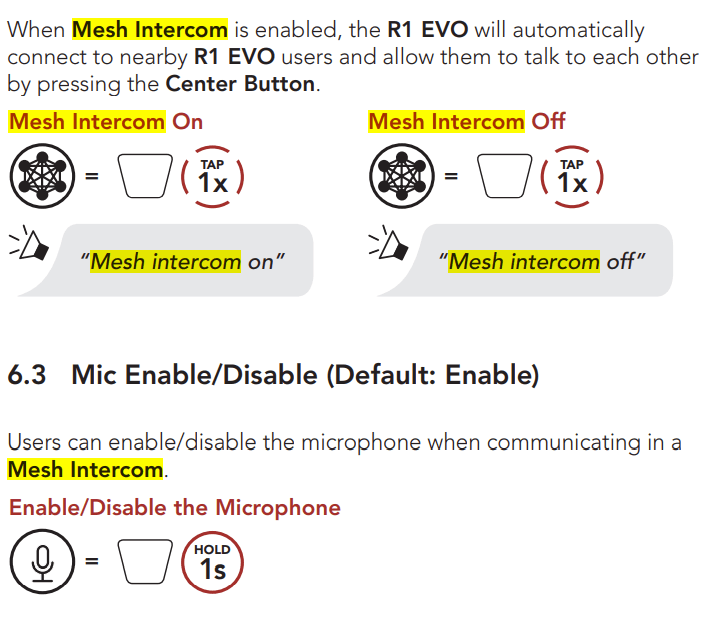
- Then pair using Mesh Intercom:
More in Service & maintenance
Still stuck, or is this about your own bike? The service team answers these all day.