Adjusting Your Tern to Fit
How to dial in your Tern's fit without tools: the telescopic seatpost, saddle height, and the Andros or Speedlifter stem set to your riding position.
Most Tern bikes come in one size but fit riders short or tall, so a few quick adjustments are usually all it takes to make the bike fit you.
Which parts of the bike are adjustable?
If your bike has a telescopic seatpost, an Andros stem or a Speedlifter stem, those parts use quick releases, so you can adjust them without tools. That makes it easy to share the bike with a partner of a different height, or to set the riding position the way you like it.
How do I adjust the telescopic seatpost?
The telescopic seatpost has two sections that are adjustable in length. Each section has a quick release.
To open a quick release, pull gently on the quick-release lever. Adjust that section of the seatpost to your desired height, and firmly close the quick-release lever.
If your bike doesn't have a telescopic seatpost, it may have a regular seatpost with a single quick release. If so, follow the same steps to set the height.
Whatever bike you have, there's a minimum insertion point indicator printed on the seatpost. For your safety, always keep the post within that marked range when you adjust it.
How high should I put my saddle?
The right saddle height makes pedaling comfortable and efficient, and there's a simple way to find it.
First, sit on your bike (it helps to have a friend hold it steady). Then, rotate the pedals so that the bottom pedal is in the 6 o’clock position. Put the ball of your foot on the bottom pedal. Your leg should be slightly bent (aim for about 80-90% of full leg extension). If your leg has a bigger bend in it, raise your saddle. If your foot loses contact with the pedal or your leg is completely straight, lower your saddle.
Once you start riding, you might want to fine-tune it a little. If your knees hurt when you ride, that's often a sign your saddle position is off.
When you've found the right height, make a note of the number on the numbered seatpost height indicator. That way, if someone else rides the bike, you can get back to your fit quickly.
How do I make other adjustments to the saddle position?
You can also slide the saddle forward and back and tilt it up or down, and getting those right makes the bike a lot more comfortable.
How do I adjust the handlebar height?
Adjusting the Andros Stem
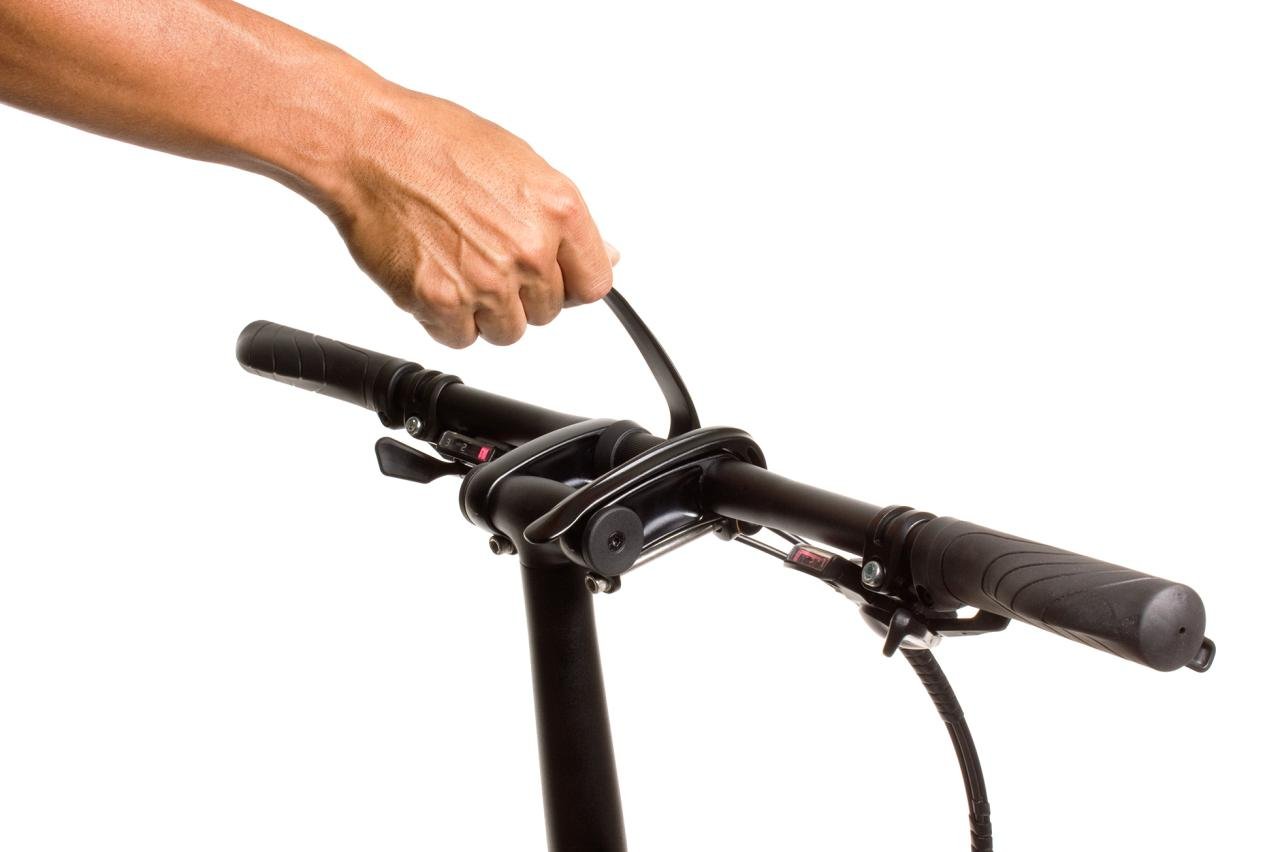
The quick release on the Andros Stem lets you adjust the height, angle, and orientation of the handlebars to find your most comfortable riding position.
To adjust the Andros stem, raise one Andros lever at a time. Adjust the stem and handlebar to your desired position, and then firmly close both Andros levers.
You can set the Andros forward (levers parallel to the ground) for fast road riding, or turn it up to 110 degrees towards you for a more comfortable riding position.
Tips for adjusting the handlebar height
- You may find that the bike steers a little better if you angle the handlebars forward slightly, rather than putting them in the most vertical position.
- If you’ve put the Andros stem in its highest position and still want more height, you can swap your Physis Handlepost for a longer one. Ask us or your Tern dealer about it.
Adjusting the Speedlifter Stem
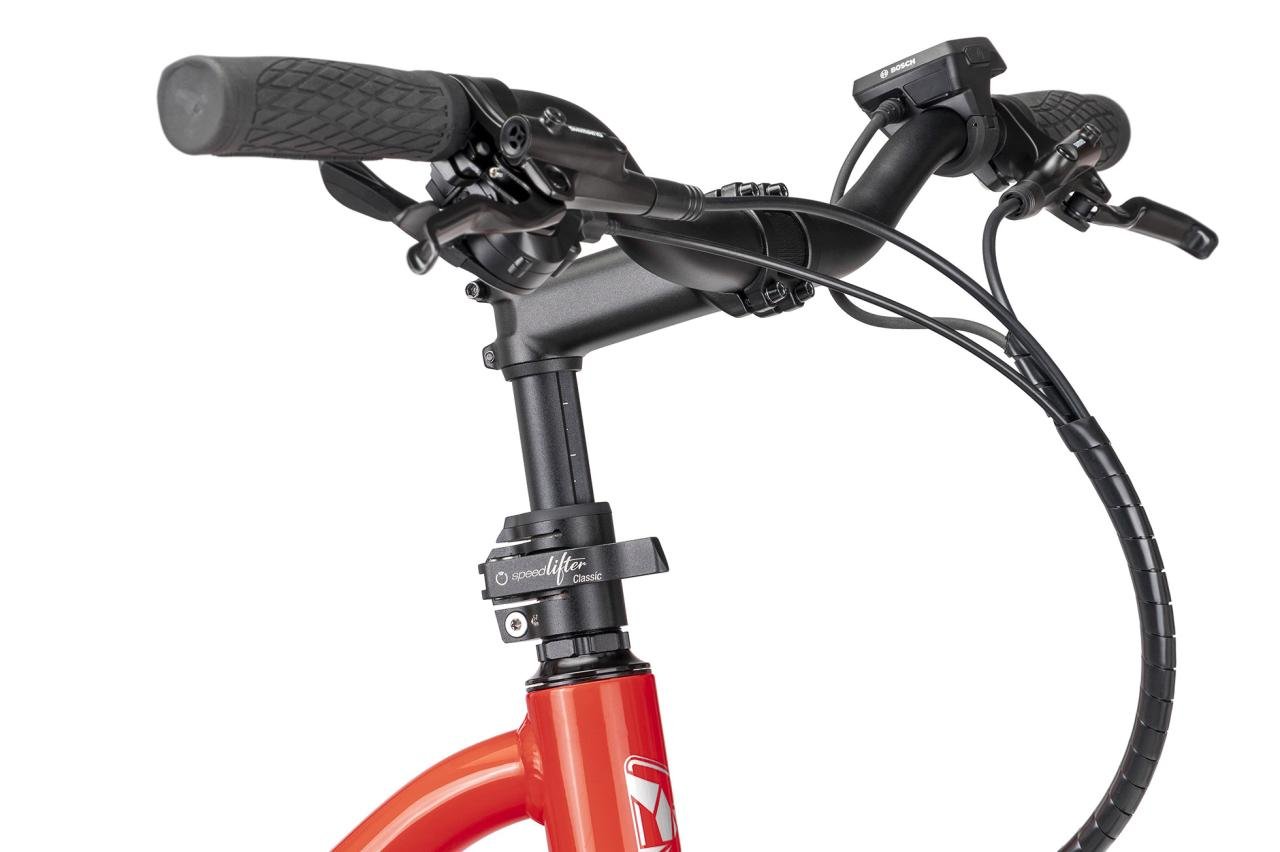
The quick release on the Speedlifter Stem lets you adjust the height of the handlebars to find your most comfortable riding position.
To adjust the Speedlifter stem, pull gently on the quick-release lever to open it. Set the stem to the height you want, and firmly close the lever to lock it in place.
You can also adjust how tight the quick-release clamp on the stem is. Open the lever and turn the clamp screw nut to tighten or loosen it. If the quick release isn't properly closed or adjusted, the stem can drop while you're riding and you could get hurt, so always make sure the clamp is firmly closed before you ride.
Still stuck, or is this about your own bike? The service team answers these all day.